
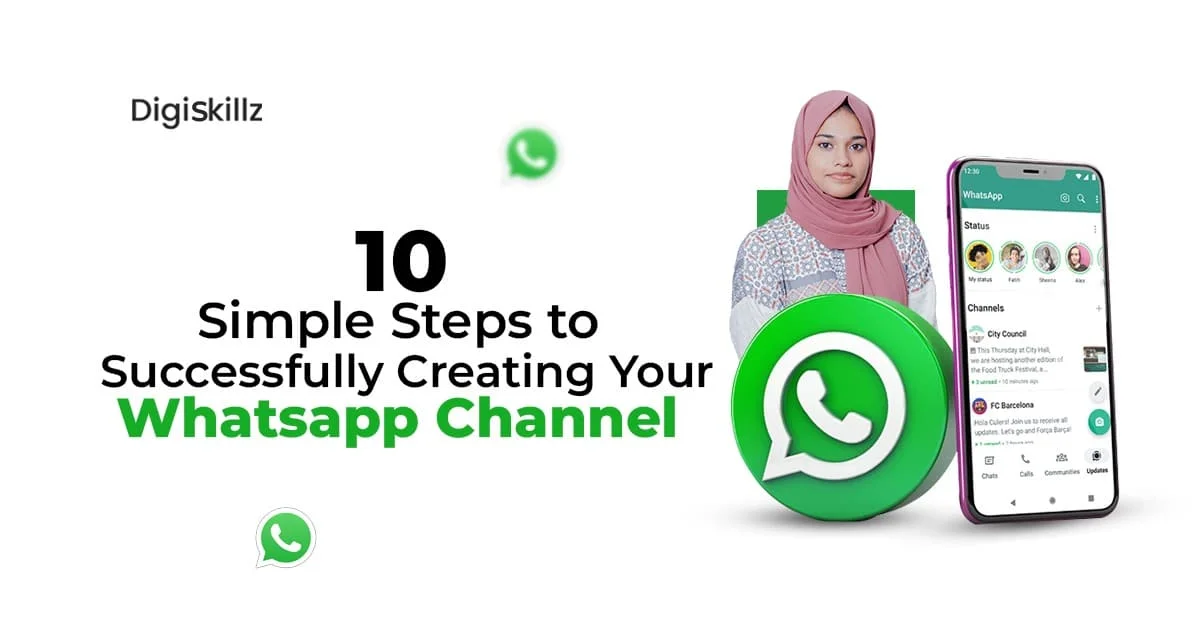
Are you looking to connect with your audience on a more personal and convenient level? So creating a Whatsapp channel is the way to go! With over 2 billion users worldwide, WhatsApp has become a popular platform for businesses to engage with their customers. Creating a WhatsApp channel allows you to directly communicate with your target audience, share updates, and provide customer support in real-time. In this blog post, we will walk you through 10 simple steps to successfully create your own WhatsApp channel and enhance your business’s communication strategy. Let’s get started!

In today’s fast-paced and digitally connected world, it’s crucial for businesses to find innovative ways to engage with their audience. That’s where a WhatsApp channel comes in. Understanding the importance of a WhatsApp channel is the first step towards revolutionizing your communication strategy and taking your business to new heights.
One of the key reasons why a WhatsApp channel is so important is the sheer number of users on the platform. With over 2 billion users worldwide, WhatsApp provides a massive audience for businesses to connect with. By creating a WhatsApp channel, you can tap into this vast pool of potential customers and reach them directly.
But it’s not just about the numbers. WhatsApp also offers a level of convenience and personalization that other communication channels may lack. With WhatsApp, you can send personalized messages, provide real-time support, and engage with your audience on a more personal level. This creates a sense of trust and loyalty among your customers, ultimately leading to increased brand engagement and customer satisfaction.
Another crucial aspect of a WhatsApp channel is the ability to share updates and announcements with your audience instantly. Whether it’s a new product launch, a special promotion, or important company news, WhatsApp allows you to deliver these messages directly to your customers’ smartphones, ensuring that your brand stays top-of-mind.
Setting up your WhatsApp Business Account is a crucial step in creating your own WhatsApp channel. This account will allow you to separate your personal and business conversations and access additional features that are tailored to meet the needs of businesses.
To begin, you will need to download the WhatsApp Business app from the Google Play Store or the Apple App Store. Once installed, open the app and follow the on-screen instructions to set up your account. You will be asked to verify your phone number, so make sure you have access to the number you wish to associate with your business.
Next, you will be prompted to enter your business name. This is an important step as it will be the name that your customers see when they communicate with your business through WhatsApp. Make sure to choose a name that is easily recognizable and represents your brand effectively.
After entering your business name, you will have the option to add a profile picture and a description of your business. Adding a profile picture helps customers visually identify your business, while a description provides a brief overview of what your business offers.
Additionally, you can add important information such as your business address, email, and website. This makes it easier for customers to find and contact you outside of the WhatsApp platform.
Once you have completed these steps, your WhatsApp Business Account will be ready to use. However, before you start connecting with customers, it’s important to familiarize yourself with the various features and settings available in the app. Take some time to explore the app and customize it according to your business’s needs.
In the next section, we will discuss how to craft an engaging profile for your WhatsApp channel, so stay tuned!

Crafting an engaging profile for your WhatsApp channel is a crucial step in creating a strong brand presence and attracting your target audience. Your profile is often the first impression customers have of your business, so it’s important to make it compelling and memorable. Here are some tips to help you craft an engaging profile for your WhatsApp channel:
Remember, your WhatsApp profile is an opportunity to make a strong impression and entice customers to engage with your business. By crafting an engaging profile, you’ll be able to build trust, attract customers, and create a lasting connection with your audience. So, take the time to make your profile compelling and let your brand personality shine through.
Once you have set up your WhatsApp Business Account and created an engaging profile for your WhatsApp channel, it’s time to start adding contacts. This step is crucial as it allows you to connect with your target audience and build a community of loyal customers.
There are several ways to add contacts to your WhatsApp channel. Here are some effective strategies:
Remember, adding contacts is just the first step. The key is to continuously engage with your contacts and provide value to keep them active and interested in your WhatsApp channel. With a growing list of contacts, you’ll be able to enhance your communication strategy and build a thriving community of loyal customers.

Building a strong communication strategy for your WhatsApp channel is essential to effectively engage with your audience and achieve your business goals. By strategically planning and implementing your communication strategy, you can maximize the impact of your WhatsApp channel and create meaningful connections with your customers.
First, identify your communication objectives. What do you hope to achieve with your WhatsApp channel? Is it to provide timely customer support, share product updates, or offer exclusive promotions? Clearly defining your goals will help you tailor your communication strategy accordingly.
Next, consider your target audience. Understanding their needs, preferences, and communication habits will enable you to deliver messages that resonate with them. This can involve segmenting your audience and creating personalized communication streams to ensure that you’re delivering the right messages to the right people at the right time.
When crafting your messages, keep them concise, engaging, and relevant. Your customers are likely to receive numerous messages on a daily basis, so it’s important to capture their attention quickly. Use a conversational tone and consider incorporating visual content, such as images or videos, to make your messages more engaging and memorable.
In addition to proactive communication, encourage your customers to engage with you by asking for feedback, inviting them to participate in surveys or contests, and initiating conversations about topics they are interested in. By fostering two-way communication, you can build stronger relationships with your audience and gain valuable insights to improve your products or services.
Consistency is key in maintaining an effective communication strategy. Regularly send updates and information to your customers to keep them engaged and informed. However, be mindful not to overwhelm them with excessive messages. Strike a balance between staying present and respecting their boundaries.
Lastly, regularly review and analyze the performance of your communication strategy. Look at metrics such as open rates, response rates, and customer feedback to gauge the effectiveness of your messages and identify areas for improvement. Use this data to refine your communication strategy and deliver even better experiences to your audience.
Building a communication strategy for your WhatsApp channel requires careful planning, thoughtful execution, and continuous evaluation. By focusing on your objectives, understanding your audience, crafting compelling messages, and analyzing performance, you can create a communication strategy that truly resonates with your customers and helps you achieve your business goals.
Managing group chats on your WhatsApp channel is an essential aspect of creating a thriving community and fostering meaningful interactions with your audience. Group chats provide a space for your customers to connect with each other, share experiences, and engage with your brand in a more collaborative way. Here are some tips to effectively manage group chats on your WhatsApp channel:
By effectively managing group chats on your WhatsApp channel, you can create a vibrant and interactive community where participants feel connected to your brand and each other. This can lead to increased brand loyalty, higher customer satisfaction, and valuable insights for your business. So, put these tips into practice and watch your group chats flourish!

Utilizing broadcast lists effectively is a powerful tool to expand the reach of your WhatsApp channel and engage with a large audience in a personalized way. With broadcast lists, you can send a single message to multiple contacts without revealing the recipients’ identities or allowing them to see each other’s responses. This allows for a more efficient and targeted communication strategy. Here are some tips to help you make the most of the broadcast list:
By utilizing broadcast lists effectively, you can leverage the power of WhatsApp to connect with a large audience and drive meaningful interactions. Take the time to segment your contacts, personalize your messages, and analyze your performance to ensure that your broadcast messages deliver maximum impact. Get creative, experiment with different approaches, and watch your WhatsApp channel thrive!

Automated messages are a game-changer when it comes to enhancing your WhatsApp channel. With the power of automation, you can streamline your communication process, save time, and provide a personalized experience for your customers.
One of the key benefits of automated messages is the ability to send instant responses to frequently asked questions. By setting up pre-written responses for common queries, you can ensure that your customers receive timely and accurate information without any delays. This not only improves customer satisfaction but also frees up your team’s time to focus on more complex inquiries.
Additionally, automated messages can be used to send personalized greetings and reminders. For example, you can set up a welcome message that is automatically sent to new subscribers, creating a warm and personalized onboarding experience. You can also schedule automated reminders for upcoming events or promotions, keeping your customers engaged and informed.
Another powerful feature of automated messages is the ability to send targeted and segmented messages. By categorizing your contacts based on their interests, demographics, or previous interactions, you can create tailored messages that resonate with each segment. This allows you to deliver more relevant content, increase engagement, and ultimately drive better results for your business.
Automated messages also enable you to nurture leads and build relationships with your customers. By setting up a series of automated messages, you can guide your leads through a personalized journey, providing them with valuable information, offers, and incentives along the way. This helps you stay top-of-mind and build trust with your audience.
Overall, leveraging the power of automated messages can significantly enhance your WhatsApp channel. It allows you to provide instant responses, personalized greetings, targeted messaging, and lead nurturing, all while saving time and improving customer satisfaction. So, make the most of this powerful tool and take your communication strategy to the next level.
Once your WhatsApp channel is up and running, it’s important to track and analyze its performance to ensure that you are effectively reaching and engaging with your audience. Tracking and analyzing the performance of your WhatsApp channel will provide valuable insights that can help you optimize your communication strategy and achieve your business goals.
Start by tracking key metrics such as message open rates, click-through rates, and response rates. These metrics will give you a clear picture of how your audience is interacting with your messages and whether they are resonating with them. Analyze this data to identify patterns and trends, and use it to refine your messaging and content strategy.
In addition to these basic metrics, consider using analytics tools to gain deeper insights into your audience’s behavior and preferences. These tools can provide information such as the time of day when your messages are most likely to be opened, the type of content that receives the highest engagement, and the demographics of your audience. Armed with this information, you can make data-driven decisions and tailor your communication strategy to better serve your audience.
Don’t forget to also solicit feedback from your audience. Send surveys or ask for reviews to understand their satisfaction level and gather suggestions for improvement. This feedback will provide valuable insights into how your audience perceives your WhatsApp channel and what you can do to enhance their experience.
By regularly tracking and analyzing the performance of your WhatsApp channel, you can continuously improve your communication strategy, drive better results, and ensure that your audience remains engaged and satisfied. So, don’t overlook this important step and make data-driven decisions to take your WhatsApp channel to new heights.
In this blog post, we have walked you through 10 simple steps to successfully create your own WhatsApp channel and enhance your business’s communication strategy. We started by understanding the importance of a WhatsApp channel in today’s fast-paced and digitally connected world. With over 2 billion users worldwide, WhatsApp provides a massive audience for businesses to connect with and offers convenience and personalization that other communication channels may lack.
Next, we discussed how to set up your WhatsApp Business Account, create an engaging profile for your WhatsApp channel, and add contacts to build a community of loyal customers. We emphasize the importance of crafting a strong communication strategy tailored to your objectives and target audience, as well as managing group chats effectively and utilizing broadcast lists and automated messages to expand your reach and personalize the experience.
Lastly, we have highlighted the significance of tracking and analyzing the performance of your WhatsApp channel. By monitoring metrics and soliciting feedback, you can continuously improve your communication strategy and ensure that your audience remains engaged and satisfied.
Creating a WhatsApp channel is an excellent way to connect with your audience on a more personal and convenient level. This allows you to directly communicate with your target audience, share updates, and provide customer support in real-time. By following the steps outlined in this blog post, you’ll be well-equipped to create a successful WhatsApp channel that enhances your business’s communication strategy and takes your brand to new heights. So, what are you waiting for? Start creating your WhatsApp channel today!